Professional PDF editor
Neo PDF Pro
What your office does with PDFs every day, in a single program
Edit, convert, sign with a certificate, truly redact data, run OCR and create forms. The features of a professional PDF editor for Windows, with an assistant based on Trinity AI.
Who it is for
For offices, firms and public bodies that work with PDF every day
Accountancy firms, lawyers, estate agents, engineering firms, town halls and any company that signs, reviews, fills in and archives PDFs every day. It installs on Windows and works on your computer: your documents only leave it if you use the cloud or the AI assistant.
Advantages
Everything Neo PDF Pro does for you
Edit the PDF itself
Change images and links, touch up text and paragraphs in the document, and add headers, footers, backgrounds, watermarks and Bates numbering.
Faithful conversion to Office
Convert to Word, Excel and PowerPoint respecting paragraphs, columns and tables, with real numbers in Excel. Create PDFs from Office (if installed), images, web pages or the scanner.
OCR without internet
Scanned documents become searchable and copyable on your own computer. It straightens and cleans pages that are skewed or stained.
Truly redact data
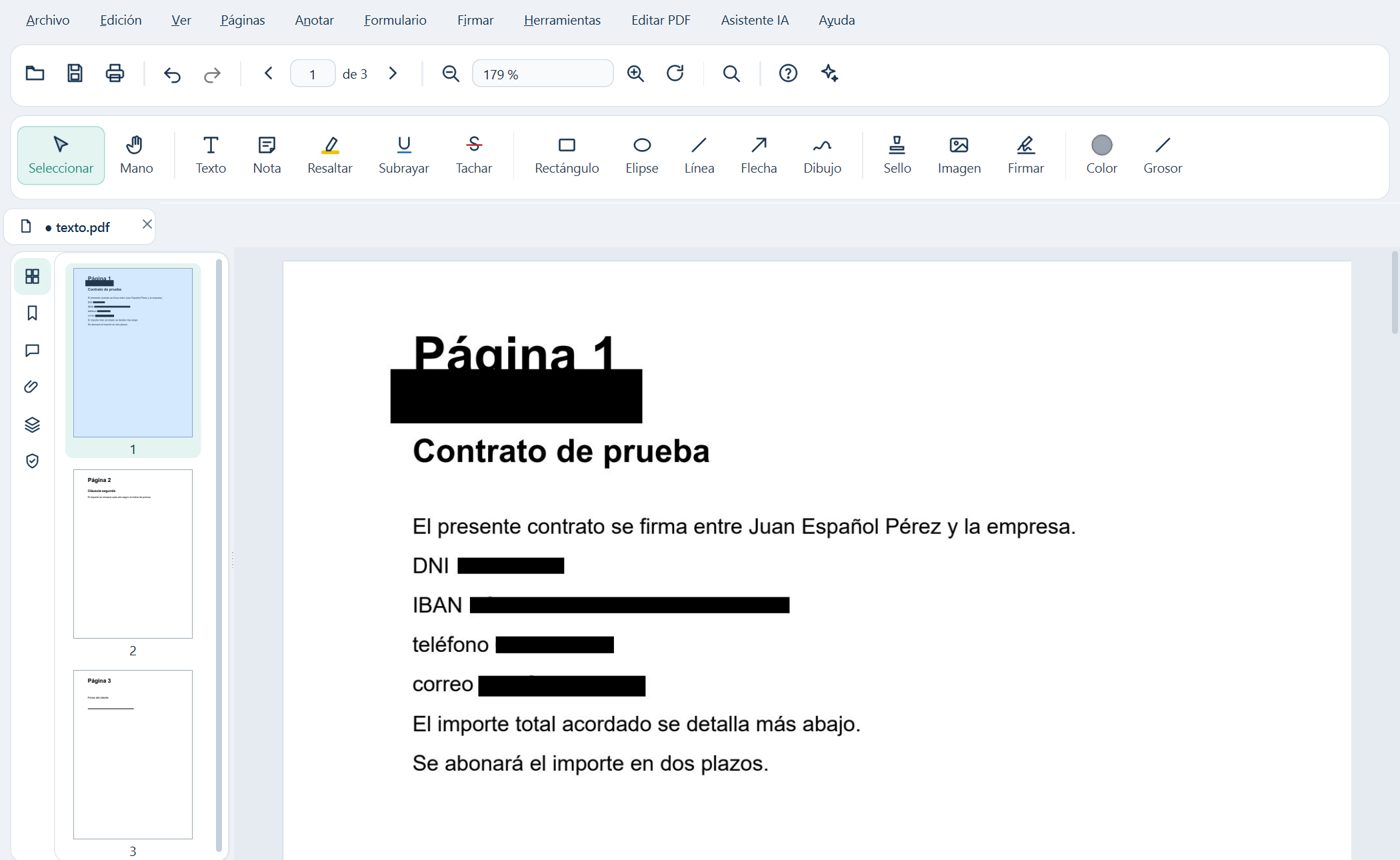
What you redact disappears from the document, it is not just covered. It finds ID card numbers (DNI), IBANs, phone numbers and emails by itself, and removes hidden information: metadata, layers, attachments and JavaScript.
Sign with your certificate
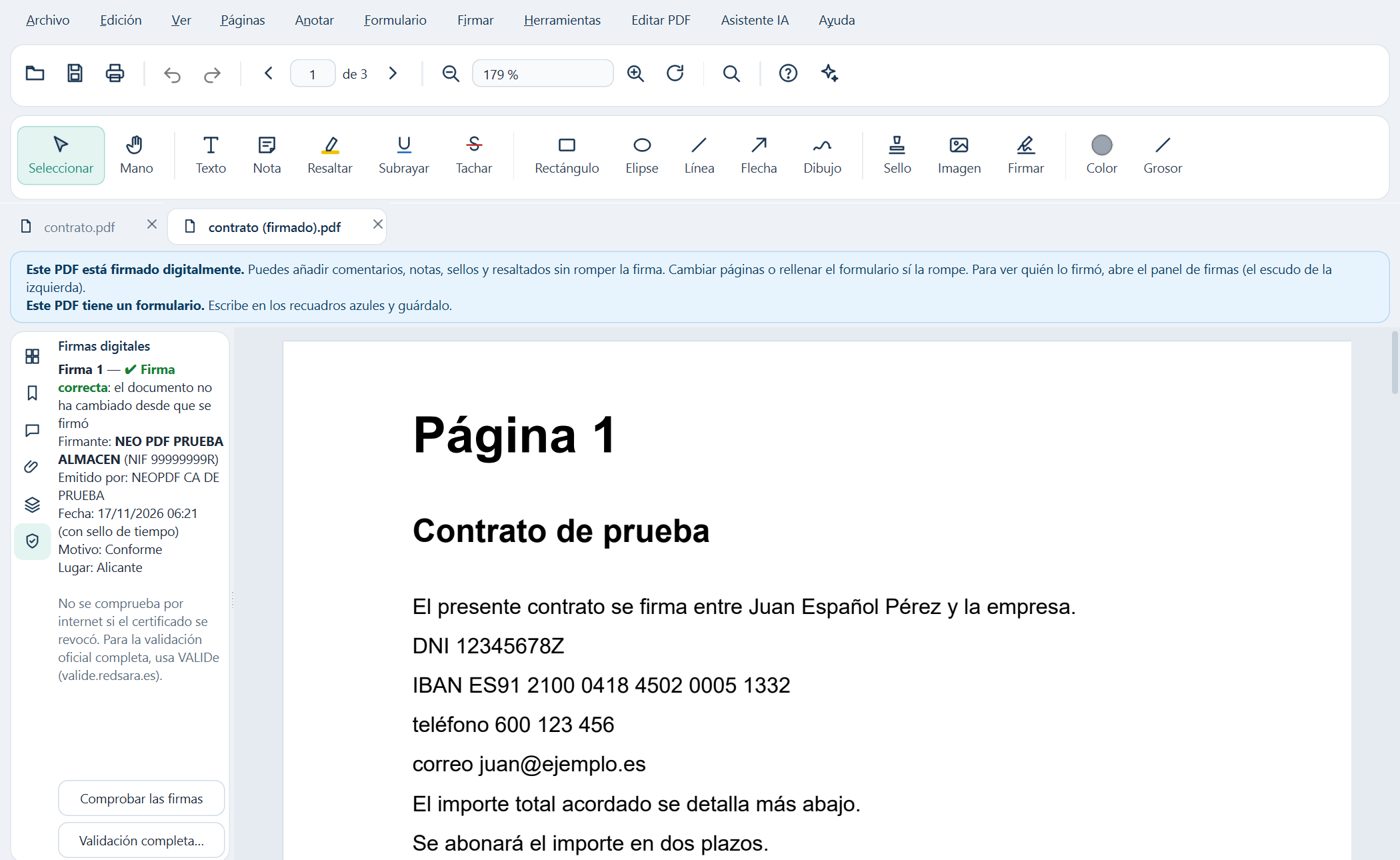
Sign with your FNMT certificate or another one from the Windows certificate store or a .p12 file, with no need for AutoFirma, or with AutoFirma and the DNIe. With timestamp, signature verification and several signers in order.
Forms with calculations
Fill in and create forms with eight field types, automatic detection, calculations, formats and JavaScript, which runs in a closed, secure sandbox.
PDF/A, accessibility and print
Convert and check PDF/A for archiving, tag and review accessibility (PDF/UA) and prepare files for print with preflight and PDF/X-4.
Comment and compare
Notes, highlights, stamps, proofreading marks, replies and statuses compatible with Acrobat. Compare two versions of a document and get the change report.
Private AI assistant
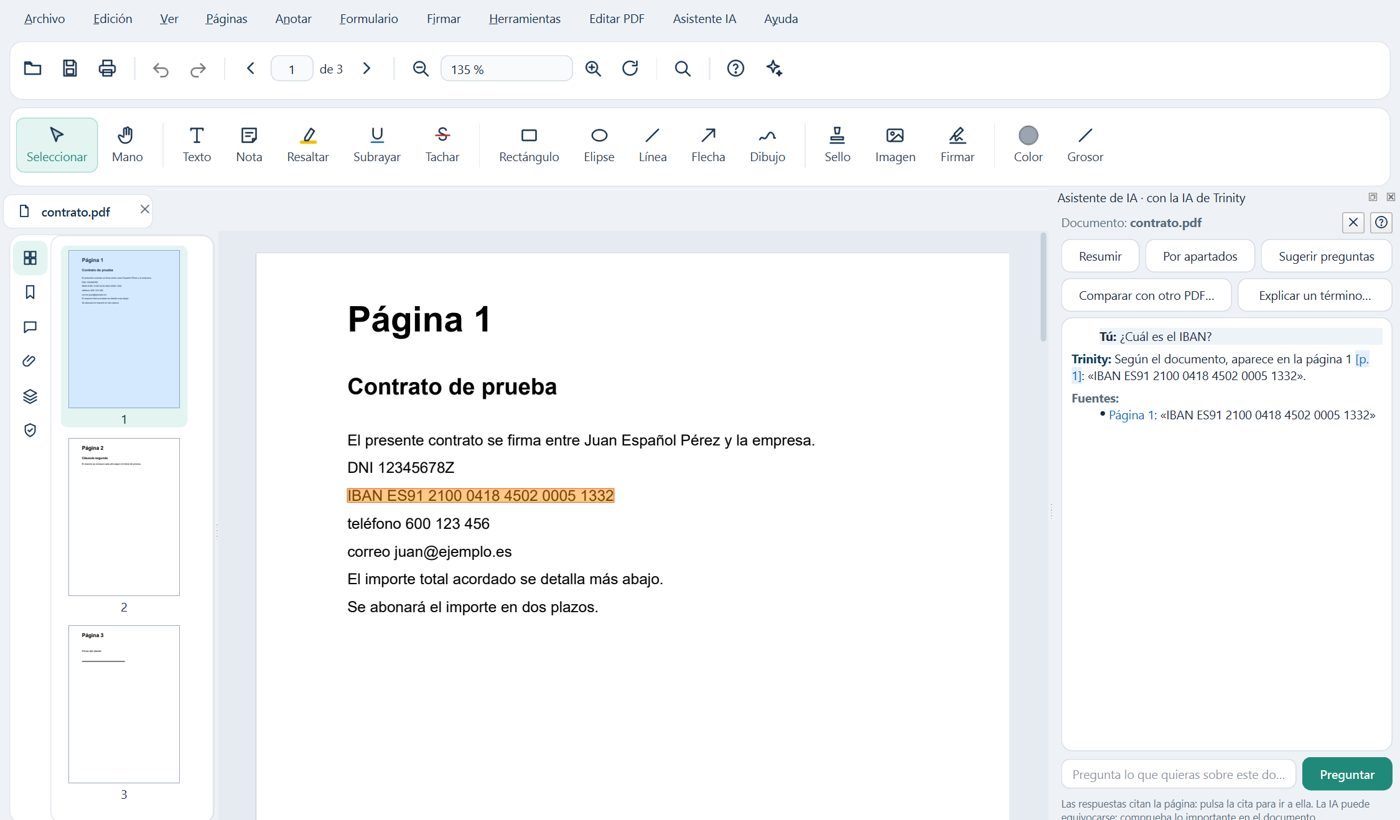
Based on Trinity AI, with servers in Europe: it summarizes the document, answers your questions citing the page, compares versions and explains terms.
Virtual printer and email
Print to PDF from any program and choose to save it, open it, merge it with the previous one or send it by email; also with a password, reduced in size or as PDF/A.
Cloud included
Save, open and share your PDFs in the cloud from within the program. It is included in the paid editions and in the trial.
After the trial, a free reader
When the trial ends you can keep opening, viewing, searching and printing your PDFs for free. It updates with small, signed patches and rolls back if something fails.
A look inside Neo PDF Pro
Adobe and Acrobat are registered trademarks of Adobe Inc. Neo PDF Pro is not affiliated with Adobe; they are mentioned only to compare features.